
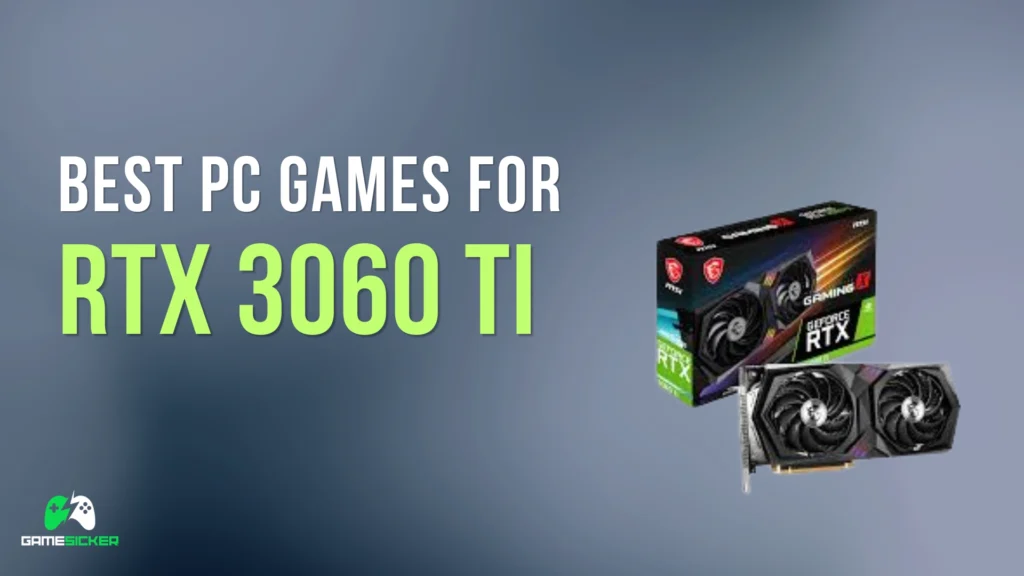
Best PC Games for RTX 3060 Ti
📥 Download PC Games for RTX 3060 Ti
The NVIDIA GeForce RTX 3060 Ti is still one of the best value graphics cards for PC gaming in 2026. It is much faster than the regular RTX 3060 in raw gaming performance and can handle many popular games smoothly at 1080p high/ultra settings and 1440p optimized settings.
The RTX 3060 Ti usually comes with 8GB GDDR6 VRAM, which is enough for many games at 1080p and 1440p when settings are optimized. However, some newer AAA titles can use a lot of VRAM, so ultra textures are not always recommended. Medium or high textures are usually the safer choice for modern games.
This GPU supports ray tracing and DLSS, giving it a big advantage over older GTX cards. Heavy ray tracing can still reduce FPS, but DLSS helps improve performance in supported games.
In this article, we will look at the best PC games for RTX 3060 Ti, including recommended settings, expected performance, best game categories, FPS improvement tips, and frequently asked questions.
Can RTX 3060 Ti Still Run Games in 2026?
Yes, the RTX 3060 Ti can still run many PC games in 2026. It is excellent for 1080p high gaming and very good for 1440p optimized gaming. It is also strong enough for esports games, open-world games, RPGs, racing games, shooters, and horror games.
The 8GB VRAM is still useful, but newer heavy games can push VRAM usage higher. For the best performance, use medium or high textures instead of ultra textures in demanding modern games.
For the best experience, use:
- 1080p resolution for high FPS gaming
- 1440p resolution for better visuals in optimized games
- High or ultra settings in older AAA games
- Medium or high settings in optimized modern games
- Low or medium settings in newer heavy games
- Medium or high textures depending on VRAM usage
- DLSS Quality or Balanced when available
- Ray tracing off or low in demanding games
- 16GB RAM minimum
- 32GB RAM recommended for newer heavy games
- SSD storage recommended
- Updated NVIDIA graphics drivers
The RTX 3060 Ti is still a strong GPU for gamers who want smooth 1080p performance and good 1440p gameplay without moving to a newer high-end card.
RTX 3060 Ti Gaming Performance in 2026
The RTX 3060 Ti is best for 1080p high/ultra gaming and 1440p medium/high gaming. Many older and optimized games run very smoothly, while newer heavy AAA games may need reduced settings.
| Game Type | RTX 3060 Ti Performance |
|---|---|
| Esports Games | Excellent |
| Older AAA Games | Excellent |
| Open-World Games | Good to very good |
| Racing Games | Very good |
| RPG Games | Good to very good |
| Horror Games | Good to very good |
| Modern Heavy AAA Games | Low/medium/high depending on game |
| Ray Tracing Games | Playable with DLSS and optimized settings |
| 1440p Gaming | Very good in many optimized games |
| 4K Gaming | Possible in older/lighter games |
The RTX 3060 Ti is faster than the RTX 3060 and is a better option for players who want higher FPS and stronger 1440p performance.
Recommended PC Specs for RTX 3060 Ti Gaming
| Component | Recommended |
|---|---|
| GPU | NVIDIA GeForce RTX 3060 Ti |
| VRAM | 8GB GDDR6 |
| CPU | Intel Core i5 / Core i7 or AMD Ryzen 5 / Ryzen 7 |
| RAM | 16GB minimum / 32GB recommended |
| Storage | SSD recommended |
| OS | Windows 10 64-bit / Windows 11 |
| Best For | 1080p high/ultra gaming, 1440p optimized gaming, DLSS games |
For open-world games, multiplayer shooters, and newer AAA titles, 16GB RAM is the minimum you should aim for. For smoother modern gaming, 32GB RAM and SSD storage are even better.
Best Graphics Settings for RTX 3060 Ti
Use these general settings for smoother gameplay:
| Graphics Option | Recommended Setting |
|---|---|
| Resolution | 1920×1080 for high FPS / 2560×1440 for better visuals |
| Texture Quality | High or Medium |
| Shadow Quality | Medium or High |
| Anti-Aliasing | TAA, FXAA, or DLSS |
| Ambient Occlusion | Medium or High |
| Reflections | Medium |
| Motion Blur | Off |
| V-Sync | Off |
| Post Processing | Medium or High |
| Ray Tracing | Off or Low/Medium with DLSS |
| DLSS | Quality or Balanced |
| Display Mode | Fullscreen |
| FPS Limit | 60 FPS or 30 FPS for very heavy games |
If a game feels laggy, reduce ray tracing, shadows, reflections, volumetric effects, anti-aliasing, post-processing, and texture quality first. DLSS should be enabled in supported games when you need more FPS.
Best PC Games for RTX 3060 Ti
1. Grand Theft Auto V
Genre: Open-world, action, adventure
Best Settings: 1080p Very High / 1440p Very High
Performance: Very smooth
Grand Theft Auto V is one of the best open-world games for RTX 3060 Ti. It offers a huge city, story missions, vehicles, aircraft, online gameplay, heists, businesses, races, and many side activities.
RTX 3060 Ti can run GTA V very smoothly at 1080p and 1440p with high or very high settings. For better FPS, reduce grass quality, shadow distance, and advanced graphics options.
Why GTA V is good for RTX 3060 Ti
- Very well-optimized PC version
- Huge open-world map
- Great story mode
- Online gameplay support
- Many graphics settings
2. Red Dead Redemption 2
Genre: Open-world, action, adventure
Best Settings: 1080p High / 1440p Medium-High, DLSS if available
Performance: Smooth with optimized settings
Red Dead Redemption 2 is a demanding open-world game, but RTX 3060 Ti can run it very well with optimized settings. The game has a huge western world, emotional story, realistic weather, horses, hunting, wildlife, and detailed missions.
Use high textures carefully, medium or high lighting, optimized shadows, reduced reflections, and DLSS if available for smoother FPS.
Why Red Dead Redemption 2 is good for RTX 3060 Ti
- Amazing story
- Huge open world
- Realistic western setting
- Excellent single-player experience
3. Cyberpunk 2077
Genre: Open-world, RPG, action
Best Settings: 1080p High with DLSS / 1440p Medium with DLSS, RT off/low
Performance: Playable and smooth with optimization
Cyberpunk 2077 is one of the most demanding open-world RPGs, but RTX 3060 Ti can run it well using optimized settings and DLSS. Ray tracing is very heavy, so use it carefully.
For best results, use DLSS Quality or Balanced, medium or high textures, medium crowd density, medium shadows, and reduced screen-space reflections.
Why Cyberpunk 2077 is good for RTX 3060 Ti
- Futuristic open world
- RPG character builds
- Story choices
- DLSS improves performance
4. The Witcher 3: Wild Hunt
Genre: Open-world, RPG, fantasy
Best Settings: 1080p High/Ultra, RT off / 1440p High
Performance: Smooth with optimized settings
The Witcher 3 is one of the best RPG games ever made. RTX 3060 Ti can run the classic version very well and can also handle the updated version with optimized settings.
Turn off ray tracing for the smoothest experience, use high settings, and enable DLSS if available.
Why The Witcher 3 is good for RTX 3060 Ti
- Huge open world
- Excellent story
- Deep RPG gameplay
- Great performance with optimized settings
5. Forza Horizon 4
Genre: Open-world racing
Best Settings: 1080p Ultra / 1440p High-Ultra
Performance: Very smooth
Forza Horizon 4 is a beautiful racing game that runs very well on RTX 3060 Ti. It has a large open world, many cars, seasonal changes, races, events, and smooth driving gameplay.
Why Forza Horizon 4 is good for RTX 3060 Ti
- Beautiful open-world racing
- Many cars
- Smooth driving
- Great 1080p and 1440p performance
6. Forza Horizon 5
Genre: Open-world racing
Best Settings: 1080p High / 1440p Medium-High
Performance: Smooth with optimization
Forza Horizon 5 is more demanding than Forza Horizon 4, but RTX 3060 Ti can run it well at 1080p high settings or 1440p with optimized medium to high settings. Lower shadows, reflections, and environment detail if you need more FPS.
Why Forza Horizon 5 is good for RTX 3060 Ti
- Beautiful Mexico map
- Large car collection
- Fun racing gameplay
- Smooth with optimized settings
7. Assassin’s Creed Origins
Genre: Open-world, action RPG
Best Settings: 1080p High / 1440p Medium-High
Performance: Smooth with optimization
Assassin’s Creed Origins is a large open-world RPG set in ancient Egypt. RTX 3060 Ti can run it well with high settings at 1080p or optimized settings at 1440p.
For smoother gameplay, reduce shadows, volumetric clouds, and anti-aliasing.
Why Assassin’s Creed Origins is good for RTX 3060 Ti
- Beautiful ancient Egypt setting
- RPG-style gameplay
- Large open world
- Playable with optimized settings
8. Assassin’s Creed Odyssey
Genre: Open-world, action RPG
Best Settings: 1080p Medium/High / 1440p Medium
Performance: Smooth with optimization
Assassin’s Creed Odyssey is a demanding open-world game, but RTX 3060 Ti can run it with optimized medium to high settings. It has a massive Greek world, naval gameplay, RPG choices, and long story content.
Why Assassin’s Creed Odyssey is good for RTX 3060 Ti
- Huge open world
- Ancient Greece setting
- RPG choices
- Long gameplay time
9. Assassin’s Creed Valhalla
Genre: Open-world, action RPG
Best Settings: 1080p Medium/High / 1440p Medium
Performance: Playable and smooth
Assassin’s Creed Valhalla is a heavy modern open-world game. RTX 3060 Ti can run it with medium or high mixed settings, but performance depends on CPU, RAM, and storage.
Use high or medium textures, medium shadows, reduced volumetric effects, and a 30–60 FPS target depending on your setup.
Why Assassin’s Creed Valhalla is good for RTX 3060 Ti
- Viking open-world setting
- Long story campaign
- RPG combat and exploration
- Playable with optimized settings
10. Far Cry 5
Genre: Open-world, FPS, action
Best Settings: 1080p High / 1440p High
Performance: Very smooth
Far Cry 5 runs very well on RTX 3060 Ti. It offers a large open-world map, vehicles, guns, missions, outposts, and co-op gameplay.
For smoother FPS, reduce shadows, reflections, volumetric effects, and anti-aliasing if needed.
Why Far Cry 5 is good for RTX 3060 Ti
- Large open world
- Fun shooting gameplay
- Co-op support
- Smooth with optimized settings
11. Far Cry New Dawn
Genre: Open-world, FPS, action
Best Settings: 1080p High / 1440p High
Performance: Very smooth
Far Cry New Dawn has a colorful post-apocalyptic setting based on Far Cry 5. RTX 3060 Ti can run it well at 1080p high settings or 1440p optimized settings.
Why Far Cry New Dawn is good for RTX 3060 Ti
- Colorful open world
- Fun shooting gameplay
- Crafting and upgrades
- Good performance
12. Far Cry 6
Genre: Open-world, FPS, action
Best Settings: 1080p High / 1440p Medium, RT off
Performance: Smooth with optimized settings
Far Cry 6 is more demanding than Far Cry 5, but RTX 3060 Ti can run it with high settings at 1080p or optimized medium settings at 1440p. Ray tracing should be turned off for smoother performance.
For best results, use medium or high textures, lower shadows, and reduce volumetric effects.
Why Far Cry 6 is good for RTX 3060 Ti
- Large tropical open world
- Fun FPS action
- Vehicles and weapons
- Playable with optimized settings
13. Shadow of the Tomb Raider
Genre: Action, adventure
Best Settings: 1080p High / 1440p High, DLSS if available
Performance: Smooth
Shadow of the Tomb Raider is a beautiful action-adventure game. RTX 3060 Ti can run it well at 1080p high settings and 1440p optimized settings. DLSS can help improve FPS in supported versions.
Why Shadow of the Tomb Raider is good for RTX 3060 Ti
- Beautiful locations
- Tomb exploration
- Good stealth and combat
- DLSS support helps performance
14. Rise of the Tomb Raider
Genre: Action, adventure
Best Settings: 1080p High / 1440p High
Performance: Very smooth
Rise of the Tomb Raider runs very well on RTX 3060 Ti. It includes tomb exploration, crafting, action gameplay, and cinematic missions.
Why Rise of the Tomb Raider is good for RTX 3060 Ti
- Strong adventure gameplay
- Beautiful locations
- Good story
- Smooth performance
15. Resident Evil 2 Remake
Genre: Survival horror, action
Best Settings: 1080p High / 1440p High
Performance: Smooth
Resident Evil 2 Remake is one of the best horror games for RTX 3060 Ti. It has modern visuals, tense gameplay, puzzles, and action.
Use high textures depending on VRAM usage and FPS target.
Why Resident Evil 2 Remake is good for RTX 3060 Ti
- Excellent horror atmosphere
- Great story and puzzles
- Smooth with optimized settings
- Strong single-player experience
16. Resident Evil 3 Remake
Genre: Survival horror, action
Best Settings: 1080p High / 1440p High
Performance: Smooth
Resident Evil 3 Remake is more action-focused and runs well on RTX 3060 Ti. It has good visuals, tense scenes, and exciting gameplay.
Why Resident Evil 3 Remake is good for RTX 3060 Ti
- Action-horror gameplay
- Good visuals
- Exciting campaign
- Smooth performance
17. Resident Evil Village
Genre: Survival horror, action
Best Settings: 1080p High / 1440p Medium, RT off
Performance: Smooth with optimization
Resident Evil Village can run well on RTX 3060 Ti with optimized settings. Ray tracing is heavy, so it is better to turn it off for stable FPS.
Why Resident Evil Village is good for RTX 3060 Ti
- Strong horror atmosphere
- Beautiful environments
- Great single-player campaign
- Playable with optimized settings
18. Metro Exodus
Genre: FPS, survival, story
Best Settings: 1080p High, DLSS on / 1440p Medium, DLSS on
Performance: Smooth with optimization
Metro Exodus is demanding, but RTX 3060 Ti can run it with optimized settings and DLSS. Ray tracing should be used carefully because it can reduce FPS heavily.
Why Metro Exodus is good for RTX 3060 Ti
- Strong atmosphere
- Story-driven FPS gameplay
- DLSS support
- Playable with optimized settings
19. Control
Genre: Action, supernatural, third-person shooter
Best Settings: 1080p High, DLSS on, RT low/medium
Performance: Smooth with DLSS
Control is one of the best games to test RTX features. RTX 3060 Ti can run it well with DLSS, and ray tracing can be tested on low or medium depending on your FPS target.
Why Control is good for RTX 3060 Ti
- Great supernatural story
- Fun combat
- DLSS support
- RTX features available
20. Death Stranding
Genre: Open-world, adventure
Best Settings: 1080p High / 1440p High, DLSS on
Performance: Smooth
Death Stranding runs well on RTX 3060 Ti, especially with DLSS enabled. It has a unique open world, story-driven gameplay, delivery systems, and cinematic presentation.
Why Death Stranding is good for RTX 3060 Ti
- Unique open-world gameplay
- DLSS support
- Strong atmosphere
- Smooth performance
21. Horizon Zero Dawn
Genre: Open-world, action RPG
Best Settings: 1080p High / 1440p Medium
Performance: Smooth with optimization
Horizon Zero Dawn is a beautiful open-world game, but it can be demanding. RTX 3060 Ti can run it with medium to high settings.
For smoother performance, lower shadows, reflections, clouds, and texture quality if needed.
Why Horizon Zero Dawn is good for RTX 3060 Ti
- Beautiful open world
- Strong story
- Robot dinosaur combat
- Playable with optimized settings
22. Days Gone
Genre: Open-world, zombie, action
Best Settings: 1080p High / 1440p Medium
Performance: Smooth
Days Gone is a large open-world zombie game. RTX 3060 Ti can run it with medium or high settings at 1080p or optimized settings at 1440p.
For better FPS, reduce shadows, foliage, and view distance.
Why Days Gone is good for RTX 3060 Ti
- Open-world zombie survival
- Motorcycle exploration
- Large hordes
- Playable with optimized settings
23. Star Wars Jedi: Fallen Order
Genre: Action, adventure
Best Settings: 1080p High / 1440p High
Performance: Smooth
Star Wars Jedi: Fallen Order offers lightsaber combat, exploration, puzzles, force powers, and cinematic story missions. RTX 3060 Ti can run it well with high settings.
Why Jedi: Fallen Order is good for RTX 3060 Ti
- Great Star Wars story
- Lightsaber combat
- Exploration and puzzles
- Smooth with optimized settings
24. Star Wars Jedi: Survivor
Genre: Action, adventure
Best Settings: 1080p Medium, upscaling if available
Performance: Playable with optimized settings
Star Wars Jedi: Survivor is much heavier than Fallen Order. RTX 3060 Ti can run it, but medium settings and upscaling are recommended for smoother gameplay.
For best results, use medium textures, low or medium shadows, reduced effects, and SSD storage.
Why Jedi: Survivor is good for RTX 3060 Ti
- Cinematic Star Wars story
- Lightsaber combat
- Exploration and upgrades
- Playable with reduced settings
25. Elden Ring
Genre: Open-world, action RPG
Best Settings: 1080p High / 1440p Medium-High
Performance: Smooth with optimization
Elden Ring is a popular open-world action RPG with challenging combat, exploration, bosses, and a dark fantasy world. RTX 3060 Ti can run it well with optimized settings.
For smoother gameplay, reduce grass, shadows, and effects quality if needed.
Why Elden Ring is good for RTX 3060 Ti
- Huge fantasy world
- Excellent boss fights
- Deep combat system
- Smooth with optimized settings
26. Sekiro: Shadows Die Twice
Genre: Action, adventure
Best Settings: 1080p High / 1440p High
Performance: Very smooth
Sekiro runs very well on RTX 3060 Ti. It has fast sword combat, stealth, boss fights, and Japanese-inspired locations.
Why Sekiro is good for RTX 3060 Ti
- Excellent sword combat
- Fast action gameplay
- Beautiful environments
- Smooth performance
27. Dark Souls III
Genre: Action RPG
Best Settings: 1080p High / 1440p High
Performance: Very smooth
Dark Souls III is a challenging action RPG with boss fights, dark fantasy environments, and strong combat. RTX 3060 Ti can run it smoothly at 1080p or 1440p.
Why Dark Souls III is good for RTX 3060 Ti
- Excellent combat
- Strong boss fights
- Dark fantasy world
- Smooth performance
28. Monster Hunter: World
Genre: Action RPG
Best Settings: 1080p High / 1440p Medium
Performance: Smooth with optimization
Monster Hunter: World is a demanding action RPG with co-op hunting, large monsters, weapons, crafting, and beautiful environments. RTX 3060 Ti can run it with medium or high mixed settings.
For smoother FPS, reduce volumetric rendering, shadows, reflections, and anti-aliasing.
Why Monster Hunter: World is good for RTX 3060 Ti
- Great monster battles
- Co-op gameplay
- Deep weapon system
- Playable with optimized settings
29. Battlefield V
Genre: FPS, war, multiplayer
Best Settings: 1080p High / 1440p Medium-High, RT off
Performance: Smooth
Battlefield V is a large-scale shooter with vehicles, destruction, and multiplayer battles. RTX 3060 Ti can run it well with high settings at 1080p and optimized settings at 1440p. Ray tracing should be off for best FPS.
Why Battlefield V is good for RTX 3060 Ti
- Large war battles
- Good gunplay
- Multiplayer action
- Smooth with optimized settings
30. Battlefield 1
Genre: FPS, war, action
Best Settings: 1080p High / 1440p High
Performance: Very smooth
Battlefield 1 runs well on RTX 3060 Ti and offers large war battles, vehicles, cinematic visuals, and strong multiplayer gameplay.
Why Battlefield 1 is good for RTX 3060 Ti
- Large battlefield action
- Great atmosphere
- Vehicles and weapons
- Smooth with optimized settings
31. Battlefield 4
Genre: FPS, action
Best Settings: 1080p High / 1440p High
Performance: Very smooth
Battlefield 4 is still one of the best FPS games for RTX 3060 Ti. It offers large maps, vehicles, destruction, and multiplayer gameplay.
Why Battlefield 4 is good for RTX 3060 Ti
- Large maps
- Vehicle combat
- Good multiplayer action
- Very smooth performance
32. Battlefield 2042
Genre: FPS, multiplayer
Best Settings: 1080p Medium / 1440p Low-Medium
Performance: Playable with optimization
Battlefield 2042 is demanding and depends heavily on CPU performance. RTX 3060 Ti can run it with optimized settings, but a good CPU and 16GB or 32GB RAM are important.
Why Battlefield 2042 is good for RTX 3060 Ti
- Large multiplayer battles
- Vehicles and specialists
- Modern battlefield gameplay
- Playable with optimized settings
33. Call of Duty: Warzone
Genre: Battle royale, FPS
Best Settings: 1080p Medium/High, DLSS if available
Performance: Playable depending on update and CPU
Call of Duty: Warzone is demanding and changes often with updates, but RTX 3060 Ti can run it with optimized medium or high settings. DLSS can help in supported versions.
For smoother gameplay, use medium textures, low or medium shadows, low effects, and close background apps.
Why Warzone is good for RTX 3060 Ti
- Popular battle royale
- Fast FPS gameplay
- DLSS can help performance
- Playable with optimized settings
34. Call of Duty: Modern Warfare
Genre: FPS, action
Best Settings: 1080p High / 1440p Medium-High
Performance: Smooth
Call of Duty: Modern Warfare offers cinematic campaign, multiplayer, and realistic gunplay. RTX 3060 Ti can run it well with high settings at 1080p or optimized settings at 1440p.
Why Modern Warfare is good for RTX 3060 Ti
- Cinematic campaign
- Good gunplay
- Multiplayer modes
- Smooth with optimized settings
35. Call of Duty: WWII
Genre: FPS, war, action
Best Settings: 1080p High / 1440p High
Performance: Smooth
Call of Duty: WWII runs well on RTX 3060 Ti. It has a cinematic campaign, multiplayer, and classic World War II-style combat.
Why Call of Duty: WWII is good for RTX 3060 Ti
- World War II campaign
- Classic COD shooting
- Multiplayer modes
- Smooth performance
36. Apex Legends
Genre: Battle royale, FPS
Best Settings: 1080p High / 1440p Medium
Performance: Smooth
Apex Legends is a fast-paced battle royale game. RTX 3060 Ti can run it smoothly with medium or high settings at 1080p and optimized settings at 1440p.
Why Apex Legends is good for RTX 3060 Ti
- Fast FPS gameplay
- Battle royale action
- Team-based characters
- Good performance with optimized settings
37. Fortnite
Genre: Battle royale, shooter
Best Settings: 1080p Performance Mode/High, DLSS if available
Performance: Smooth
Fortnite runs well on RTX 3060 Ti, especially in Performance Mode. You can also use DLSS in supported modes for better FPS.
Why Fortnite is good for RTX 3060 Ti
- Free-to-play
- Popular battle royale
- Performance Mode available
- Good for multiplayer gaming
38. Counter-Strike 2
Genre: Competitive FPS
Best Settings: 1080p Medium/High
Performance: Smooth depending on CPU
Counter-Strike 2 is more demanding than older CS games, but RTX 3060 Ti can run it well with medium or high settings. CPU and RAM are very important for stable FPS.
Why Counter-Strike 2 is good for RTX 3060 Ti
- Competitive FPS gameplay
- Popular multiplayer game
- Good for esports fans
- Playable with optimized settings
39. Valorant
Genre: Competitive FPS
Best Settings: 1080p High
Performance: Very smooth
Valorant is very well-optimized and runs smoothly on RTX 3060 Ti. It is a great choice for competitive players who want high FPS.
Why Valorant is good for RTX 3060 Ti
- Free-to-play
- Well-optimized
- Competitive gameplay
- Very smooth performance
40. PUBG: Battlegrounds
Genre: Battle royale, shooter
Best Settings: 1080p High / 1440p Medium
Performance: Smooth with optimization
PUBG can run on RTX 3060 Ti with optimized settings. Lower shadows, effects, foliage, and view distance for better FPS.
Why PUBG is good for RTX 3060 Ti
- Battle royale gameplay
- Tactical shooting
- Large maps
- Playable with optimized settings
41. Rocket League
Genre: Sports, racing, multiplayer
Best Settings: 1080p High / 1440p High
Performance: Very smooth
Rocket League runs very smoothly on RTX 3060 Ti. It is fast, fun, competitive, and easy to play.
Why Rocket League is good for RTX 3060 Ti
- Fast and fun gameplay
- Online multiplayer
- Smooth performance
- Easy to play, hard to master
42. Minecraft
Genre: Sandbox, survival, creativity
Best Settings: 1080p High without heavy shaders
Performance: Smooth
Minecraft runs very well on RTX 3060 Ti. You can also try shaders, but heavy ray-traced shaders may need DLSS or reduced render distance.
Why Minecraft is good for RTX 3060 Ti
- Creative freedom
- Survival gameplay
- Huge modding community
- Shader support possible
43. Need for Speed Heat
Genre: Racing
Best Settings: 1080p High / 1440p Medium-High
Performance: Smooth
Need for Speed Heat is a fun street racing game with day and night racing, police chases, car customization, and an open-world city. RTX 3060 Ti can run it well with optimized settings.
Why Need for Speed Heat is good for RTX 3060 Ti
- Fast street racing
- Car customization
- Police chases
- Smooth with optimized settings
44. Need for Speed Rivals
Genre: Racing
Best Settings: 1080p High / 1440p High
Performance: Smooth
Need for Speed Rivals is an arcade racing game with fast cars, police chases, and beautiful roads. RTX 3060 Ti can run it smoothly at high settings.
Why Need for Speed Rivals is good for RTX 3060 Ti
- Fast racing action
- Police vs racer gameplay
- Beautiful map
- Smooth performance
45. Euro Truck Simulator 2
Genre: Simulation, driving
Best Settings: 1080p High / 1440p High
Performance: Smooth
Euro Truck Simulator 2 is a relaxing driving simulation game that runs well on RTX 3060 Ti. You can deliver cargo, customize trucks, and drive across Europe.
Why Euro Truck Simulator 2 is good for RTX 3060 Ti
- Relaxing gameplay
- Good optimization
- Large driving map
- Great for casual gamers
More Good Games for RTX 3060 Ti
Here are more PC games that can run well on RTX 3060 Ti:
- Far Cry 3
- Far Cry 4
- Far Cry Primal
- Tomb Raider
- Batman: Arkham Knight
- Batman: Arkham City
- Sleeping Dogs
- Mafia II
- Mafia III
- Max Payne 3
- Just Cause 3
- Mad Max
- Middle-earth: Shadow of Mordor
- Middle-earth: Shadow of War
- BioShock Infinite
- Borderlands 2
- Borderlands 3
- Crysis 2
- Crysis 3
- Metro 2033 Redux
- Metro: Last Light Redux
- Alien: Isolation
- The Evil Within
- Dishonored
- Hitman 2016
- Hitman 2
- Sniper Elite 4
- GRID Autosport
- Dirt 3
- Warframe
- Dota 2
- League of Legends
- Team Fortress 2
- Paladins
- Brawlhalla
- Hades
- Hollow Knight
- Cuphead
Best Open-World Games for RTX 3060 Ti
If you like open-world games, these are some of the best choices:
- GTA V
- Red Dead Redemption 2
- Cyberpunk 2077 with DLSS
- The Witcher 3
- Far Cry 5
- Far Cry New Dawn
- Far Cry 6
- Assassin’s Creed Origins
- Assassin’s Creed Odyssey
- Assassin’s Creed Valhalla
- Horizon Zero Dawn
- Days Gone
- Elden Ring
- Death Stranding
- Forza Horizon 4
- Forza Horizon 5
- Skyrim
- Fallout 4
- Watch Dogs 2
- Metal Gear Solid V
- Mad Max
Best Shooting Games for RTX 3060 Ti
For FPS and shooting game fans, try these:
- Valorant
- Counter-Strike 2
- Fortnite
- Apex Legends
- PUBG: Battlegrounds
- Call of Duty: Warzone
- Call of Duty: Modern Warfare
- Call of Duty: WWII
- Battlefield 1
- Battlefield 4
- Battlefield V
- Battlefield 2042
- Far Cry 5
- Far Cry 6
- Crysis 3
- Borderlands 3
- Metro Exodus
- Control
- BioShock Infinite
Best Racing Games for RTX 3060 Ti
For racing lovers, these games are recommended:
- Forza Horizon 4
- Forza Horizon 5
- Need for Speed Heat
- Need for Speed Rivals
- Need for Speed Most Wanted
- GRID Autosport
- Dirt 3
- Euro Truck Simulator 2
- Rocket League
- Burnout Paradise
RTX 3060 Ti is good for many racing games at 1080p high settings and 1440p optimized settings.
Best RPG Games for RTX 3060 Ti
If you like RPG games, try these:
- The Witcher 3
- Cyberpunk 2077 with DLSS
- Elden Ring
- Skyrim
- Fallout 4
- Assassin’s Creed Origins
- Assassin’s Creed Odyssey
- Assassin’s Creed Valhalla
- Horizon Zero Dawn
- Monster Hunter: World
- Dark Souls III
- Sekiro: Shadows Die Twice
- Nier: Automata
- Dragon Age: Inquisition
- Borderlands 3
Best Horror Games for RTX 3060 Ti
For horror game fans, these are good choices:
- Resident Evil 2 Remake
- Resident Evil 3 Remake
- Resident Evil Village
- Resident Evil 7
- Alien: Isolation
- The Evil Within
- Metro Exodus
- Metro 2033 Redux
- Metro: Last Light Redux
- Dead Space
- Dead Space 2
- Dead Space 3
Many horror games run well on RTX 3060 Ti, especially when ray tracing is turned off or used carefully.
Best Free Games for RTX 3060 Ti
If you want free games, try these:
- Valorant
- Fortnite
- Counter-Strike 2
- Apex Legends
- PUBG: Battlegrounds
- League of Legends
- Dota 2
- Warframe
- Team Fortress 2
- Rocket League
- Brawlhalla
- Roblox
- Paladins
Free-to-play games are a good choice for RTX 3060 Ti because many of them are optimized for a wide range of PCs.
RTX 3060 Ti vs RTX 3060 for Gaming
The RTX 3060 Ti is faster than the RTX 3060 in raw gaming performance. This makes it better for higher FPS and stronger 1440p gaming.
| GPU | Gaming Performance |
|---|---|
| RTX 3060 | More VRAM in many models, good 1080p gaming |
| RTX 3060 Ti | Faster raw performance, better 1440p gaming |
If you want higher FPS and better 1440p performance, RTX 3060 Ti is the better choice. If you specifically need more VRAM for certain texture-heavy games, the RTX 3060 12GB can still be useful.
RTX 3060 Ti vs RTX 2080 Ti for Gaming
The RTX 3060 Ti and RTX 2080 Ti can be close in many games, but the RTX 2080 Ti has more VRAM and was a higher-end card.
| GPU | Gaming Performance |
|---|---|
| RTX 3060 Ti | Newer, efficient, strong 1080p/1440p gaming |
| RTX 2080 Ti | More VRAM and strong high-end performance |
For newer efficiency and lower power use, RTX 3060 Ti is attractive. For more VRAM and some texture-heavy games, RTX 2080 Ti can still be stronger.
RTX 3060 Ti Limitations in Modern Games
The RTX 3060 Ti is still strong, but it has some limitations:
- 8GB VRAM can be limiting in some newer AAA games.
- Heavy ray tracing is not recommended in very demanding modern games.
- Some newer games may need medium settings at 1440p.
- It does not support DLSS 3 Frame Generation.
- CPU and RAM strongly affect performance.
- Some modern games may require newer GPU features.
- 4K gaming is not ideal for new heavy AAA titles.
- DLSS helps, but it cannot fix every performance issue.
For best results, use 1080p or 1440p optimized settings, DLSS when available, and ray tracing off in heavy games.
Tips to Improve FPS on RTX 3060 Ti
Use these tips to improve performance:
- Update your NVIDIA graphics driver.
- Use DLSS Quality or Balanced when available.
- Turn off ray tracing in demanding games.
- Lower shadows and reflections.
- Use high or medium textures depending on VRAM usage.
- Turn off motion blur.
- Disable heavy anti-aliasing if DLSS is available.
- Use fullscreen mode.
- Close background apps before gaming.
- Install games on SSD for faster loading.
- Use 1080p resolution for very demanding games.
- Reduce crowd density in open-world games.
- Lower volumetric effects and post-processing.
- Keep Windows background tasks low.
- Avoid heavy graphics mods and high-resolution texture packs.
These settings can make the RTX 3060 Ti feel much smoother in modern games.
Is RTX 3060 Ti Good for Gaming in 2026?
Yes, RTX 3060 Ti is still good for gaming in 2026. It is especially good for 1080p high/ultra gaming, 1440p optimized gaming, esports games, older AAA games, racing games, RPGs, horror games, and open-world titles.
Its biggest advantages are strong raw performance, DLSS support, and excellent value for 1080p and 1440p gaming. Heavy ray tracing is not ideal, but low ray tracing can be tested in some games with DLSS enabled.
For budget high-performance gaming, RTX 3060 Ti is still a very strong option if you are comfortable using optimized settings in newer games.
Safe Download and Installation Note
Always download or install games from official and trusted platforms such as Steam, Epic Games Store, GOG, Ubisoft Connect, EA App, Battle.net, or the official game website. This helps avoid malware, unsafe installers, corrupted files, and broken game versions.
Before installing any game, check the minimum system requirements and make sure your PC has enough RAM, storage space, and driver support.
Frequently Asked Questions
Can RTX 3060 Ti run GTA V?
Yes, RTX 3060 Ti can run GTA V smoothly at 1080p and 1440p using high or very high settings.
Can RTX 3060 Ti run Red Dead Redemption 2?
Yes, RTX 3060 Ti can run Red Dead Redemption 2 with optimized high or medium-high settings. Use DLSS if available and reduce shadows, reflections, and water quality for better FPS.
Can RTX 3060 Ti run Cyberpunk 2077?
Yes, RTX 3060 Ti can run Cyberpunk 2077 at 1080p high or 1440p medium settings with DLSS. Ray tracing should be turned off or used carefully on low settings.
Can RTX 3060 Ti run The Witcher 3?
Yes, RTX 3060 Ti can run The Witcher 3 very well at 1080p and 1440p with optimized settings. Turn off ray tracing for smoother FPS.
Can RTX 3060 Ti run Forza Horizon 5?
Yes, RTX 3060 Ti can run Forza Horizon 5 with high settings at 1080p or optimized medium-high settings at 1440p.
Can RTX 3060 Ti run Fortnite?
Yes, RTX 3060 Ti can run Fortnite smoothly using Performance Mode or optimized settings. DLSS can help in supported modes.
Can RTX 3060 Ti run Counter-Strike 2?
Yes, RTX 3060 Ti can run Counter-Strike 2 with medium or high settings. Performance depends heavily on CPU and RAM.
Can RTX 3060 Ti run ray tracing games?
Yes, RTX 3060 Ti supports ray tracing, but heavy ray tracing can reduce FPS. Use ray tracing on low or medium settings and enable DLSS when possible.
Is RTX 3060 Ti good for 1080p gaming?
Yes, RTX 3060 Ti is excellent for 1080p gaming. It can run many older games at high or ultra settings and many newer games at optimized settings.
Is RTX 3060 Ti good for 1440p gaming?
Yes, RTX 3060 Ti is good for 1440p gaming in many older and optimized games. For very demanding modern games, medium settings or DLSS may be needed.
Is RTX 3060 Ti good for 4K gaming?
RTX 3060 Ti can handle 4K in older or lighter games, but for modern heavy games, 1440p or 1080p is usually better.
How much RAM is recommended with RTX 3060 Ti?
16GB RAM is the minimum recommended, but 32GB RAM is better for newer open-world games, heavy AAA titles, and smoother multitasking.
Is RTX 3060 Ti better than RTX 3060?
Yes, RTX 3060 Ti is much faster than RTX 3060 in raw FPS and is better for 1440p gaming.
Is RTX 3060 Ti better than RTX 2080 Ti?
They can be close in many games, but RTX 2080 Ti has more VRAM. RTX 3060 Ti is newer and efficient, while RTX 2080 Ti can be better in VRAM-heavy titles.
Is RTX 3060 Ti still worth using in 2026?
Yes, RTX 3060 Ti is still worth using for strong 1080p and 1440p gaming, especially if you use DLSS in supported games.
Conclusion
The RTX 3060 Ti is still a strong graphics card for 1080p and 1440p gaming in 2026. Games like GTA V, Red Dead Redemption 2, Cyberpunk 2077 with DLSS, The Witcher 3, Forza Horizon 4, Forza Horizon 5, Assassin’s Creed Origins, Far Cry 5, Far Cry 6, Resident Evil 2 Remake, Control, Death Stranding, Horizon Zero Dawn, Elden Ring, Valorant, Fortnite, Counter-Strike 2, Apex Legends, and Battlefield V can run well with the right settings.
For the best experience, use 1080p for high FPS, 1440p for better visuals, medium or high textures depending on the game, DLSS when available, and ray tracing off in heavy titles. With proper settings, the RTX 3060 Ti can still provide a smooth and enjoyable PC gaming experience.
Please comment your thoughts and suggetions. So we can improve our quality to help each others. All the gamers are one family and we are all brothers.
Don’t forget to share the website with your friends. !!!